Check out my latest project: JSBin - live JavaScript pastebin

30 second review of Safari 3 beta

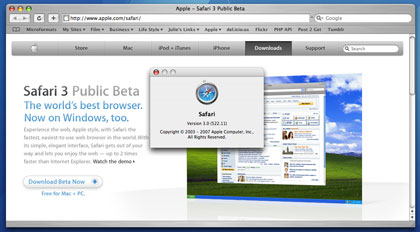
Safari 3 goes public beta today - so here's a 30 second review of the features and the downsides of the beta upgrade.
New Features

  • Tabs can be rearranged.
  • Tabs can be pulled off in to new windows - very useful for multiple monitors, and conversely merged back in to one window.
  • Inline searches - ala Firefox search (with a preview with the number of matches).
  • There is a built in element inspector when you have the debug menu turned on.
  • Drosera also works with Safari (though you have to manually enable it) - which means JavaScript debugging for developers.
  • Text boxes can be dynamically resized in the page to ease the pain of tiny textareas.
  • CSS support is better - but again due to the latest Webkit, for example, buttons can be styled whereas they couldn't be in Safari 2.
  • For the developers: if you pass multiple items to the console.log Safari doesn't crash anymore - yay! - but it still only logs the first item.
Safari 3 public

Downsides

  • Installs over Safari 2. This means you're now viewing sites in the latest WebKit - but Safari's render engines are pretty close between versions.
  • SIMBL plugins don't appear to work. I use Safari Stand and Safari Tidy for a quick view on page validation - and now they don't work.
  • The RSS icon is still the sad little blue icon, instead of the standard orange RSS icon.

Conclusion

I'm sure there's a few more bits tucked away, and some nice speed improvements (but that would have been available in the Webkit in the first place).

There's some nice little features that makes Safari slicker. For me, the Webkit upgrade and the DOM element inspector are the biggest advantages.

However, the fact that I can't run my SIMBL plugins may cause me to uninstall until October. There's even rumours of ending plugin support entirely in Safari.

The SIMBL plugins do appear to work - and I've since installed the beta version of Safari Tidy and it appears to work fine.

9 Responses to “30 second review of Safari 3 beta”

  1. Remy, do you know if Drosera will be available for the new Windows version of Safari?

  2. Sadly it doesn't look like Safari on Windows supports it.

    You can enable the debug menu in Windows but comparing my Mac debug menu and the Windows one, I can see the 'Show Inspector' is missing.

  3. How do I get Drosera to come up? I can't seem to figure out how to "activate" it.

  4. Lawrence Keavey June 13th, 2007 at 8:32 pm

    I installed Safari on my windows HP desktop two days ago. It crashed too often. The type was too dark and bold. At times it was very fast and sometimes very slow. Perhaps in a few months it will be better but as of now I unstalled it. Too many problems to bother with a browser that needs further work.

  5. @Tobin - if you're working on a Mac, then you can enable the Safari debug menu.

    As for Drosera on the PC - it appears that it doesn't exist.

  6. Remy - sorry, I should have been more clear. I am on a Mac, and I have enabled the Debug menu. It shows up just fine, but I can't find any option, or any other way to get Drosera to actually pop up or start running. Have you been able to use it to debug javascript yet?

  7. Ahhh - okay. Drosera is only an inspector (see correction). It allows you to browse the DOM, look at the rendered style and view the metrics of an element.

    It's pretty much like Firebug's HTML tab. Sadly there's nothing beyond that. i.e. no interactive console (for JavaScript) and no changing properties.

    Hope that clears any confusion up.

  8. Gotcha. We're talking about 2 different things.

    Actually, Drosera is in fact a Javascript debugger for Safari. http://webkit.org/blog/?p=61

    You're thinking of the Web Inspector. http://webkit.org/blog/?p=41

    Thanks anyway. Hopefully we'll see Drosera in the wild soon. Building it myself just seems like too much of a pain.

  9. @Tobin - you're absolutely right, and I'm a fool! I've updated my post, and I'll quickly tell you how to get Drosera running.

    • Download the latest compiled WebKit - the download includes a built Drosera.
    • Enable Drosera
    • Restart Safari 3 (you don't have to use WebKit for Drosera to work).
    • Run Drosera after you've start Safari back up, and it should ask to attach itself to Safari.

    Drosera works as the page loads, so initially it will be blank. If you reload the page, it will load in the scripts that have loaded. You can set breakpoints, inspect objects (using the console), etc. Sadly, there's no watch option - but the console should take care of that.

    Thanks for correcting me!

Leave a Reply
Not required

CODE: Please escape code and wrap in <pre><code>, doing so will automatically syntax highlight